


CICATE
Year
2023
My Role
UI/UX Designer | Brand Designer
Team
Founder & Full-Stack Devs
Project Description
CICATE is an organization that provides innovative competency assessment solutions through specialized test formats designed to evaluate professional skills and unlock career opportunities. The project operates as a testing platform focused on measuring various competencies to help individuals and organizations identify strengths and areas for development
Personal Note
It's was one of the first project where I personally had an opportunity to work on an project that is within the field of education. I had an opportunity to taste and work around through all details of this project. This project plays an important role of constructing the design system within our process of work.
Elias
Design Chief

22.01.2026
CICATE
Year
2023
My Role
UI/UX Designer | Brand Designer
Team
Founder & Full-Stack Devs
Project Description
CICATE is an organization that provides innovative competency assessment solutions through specialized test formats designed to evaluate professional skills and unlock career opportunities. The project operates as a testing platform focused on measuring various competencies to help individuals and organizations identify strengths and areas for development
Personal Note
It's was one of the first project where I personally had an opportunity to work on an project that is within the field of education. I had an opportunity to taste and work around through all details of this project. This project plays an important role of constructing the design system within our process of work.
Elias
Design Chief
22.01.2026
Projects
UI Layout of Sign Up Procedure
This stage consists of 4 stages. We ask user/member of Organization to provide us Personal Information, Additional Information of the organization and its type. Later user creates username and passwords for his/her account. Last stage is the success message, which invite to explore further functions of the account and dashboard.
UI Layout of Sign Up Procedure
This stage consists of 4 stages. We ask user/member of Organization to provide us Personal Information, Additional Information of the organization and its type. Later user creates username and passwords for his/her account. Last stage is the success message, which invite to explore further functions of the account and dashboard.
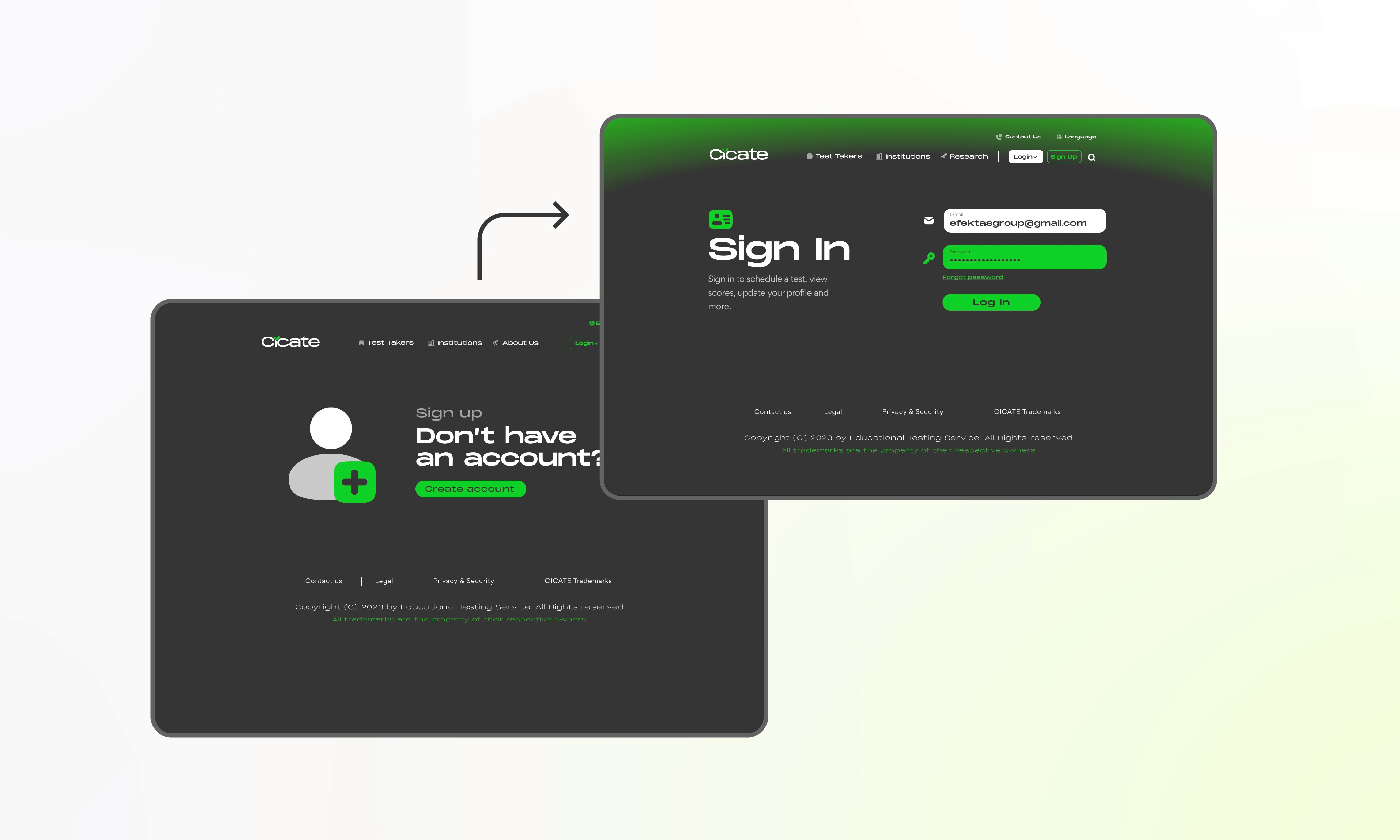
Personal Information
UI Sign Up Procedure
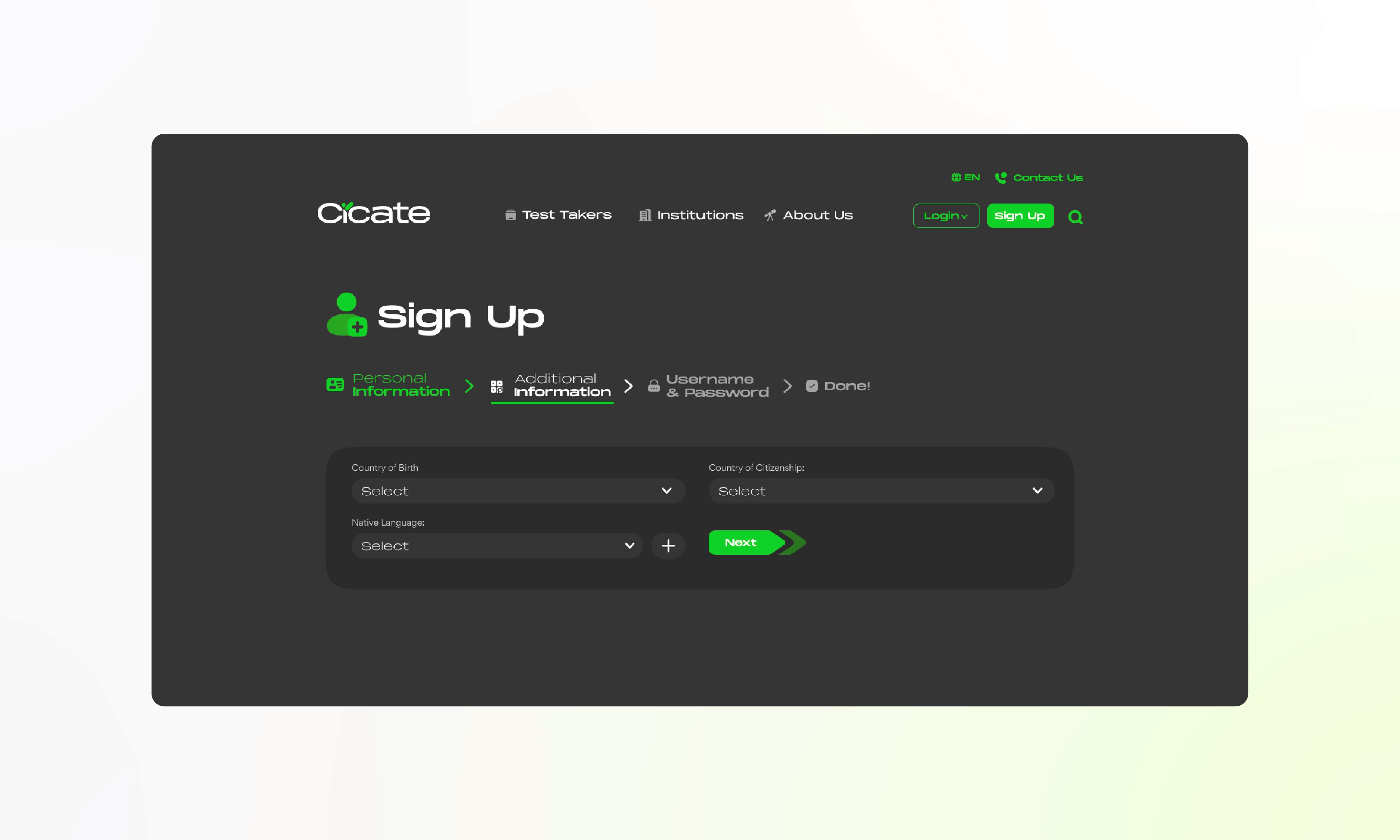
Personal Information
UI Sign Up Procedure
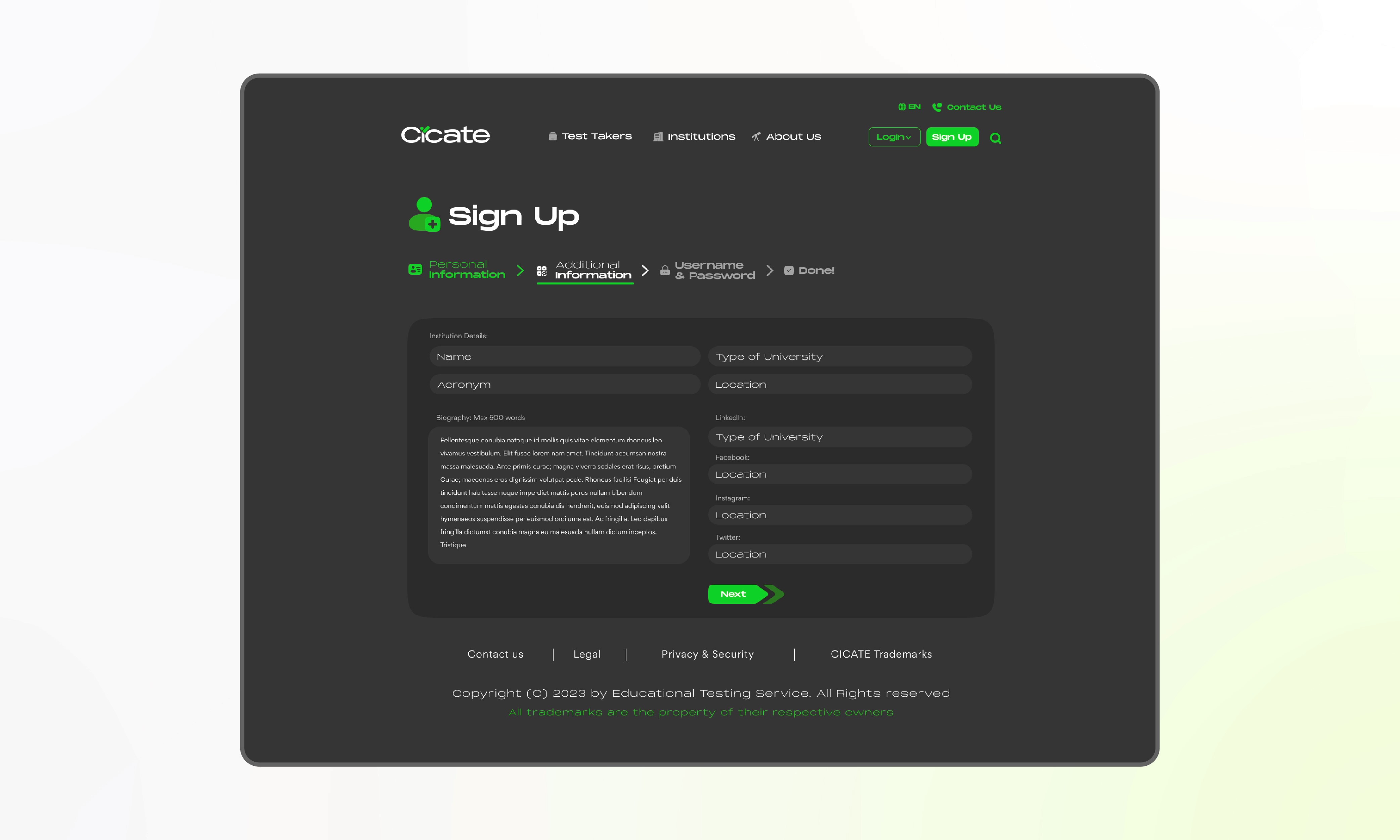
Additional Information
UI Sign Up Procedure
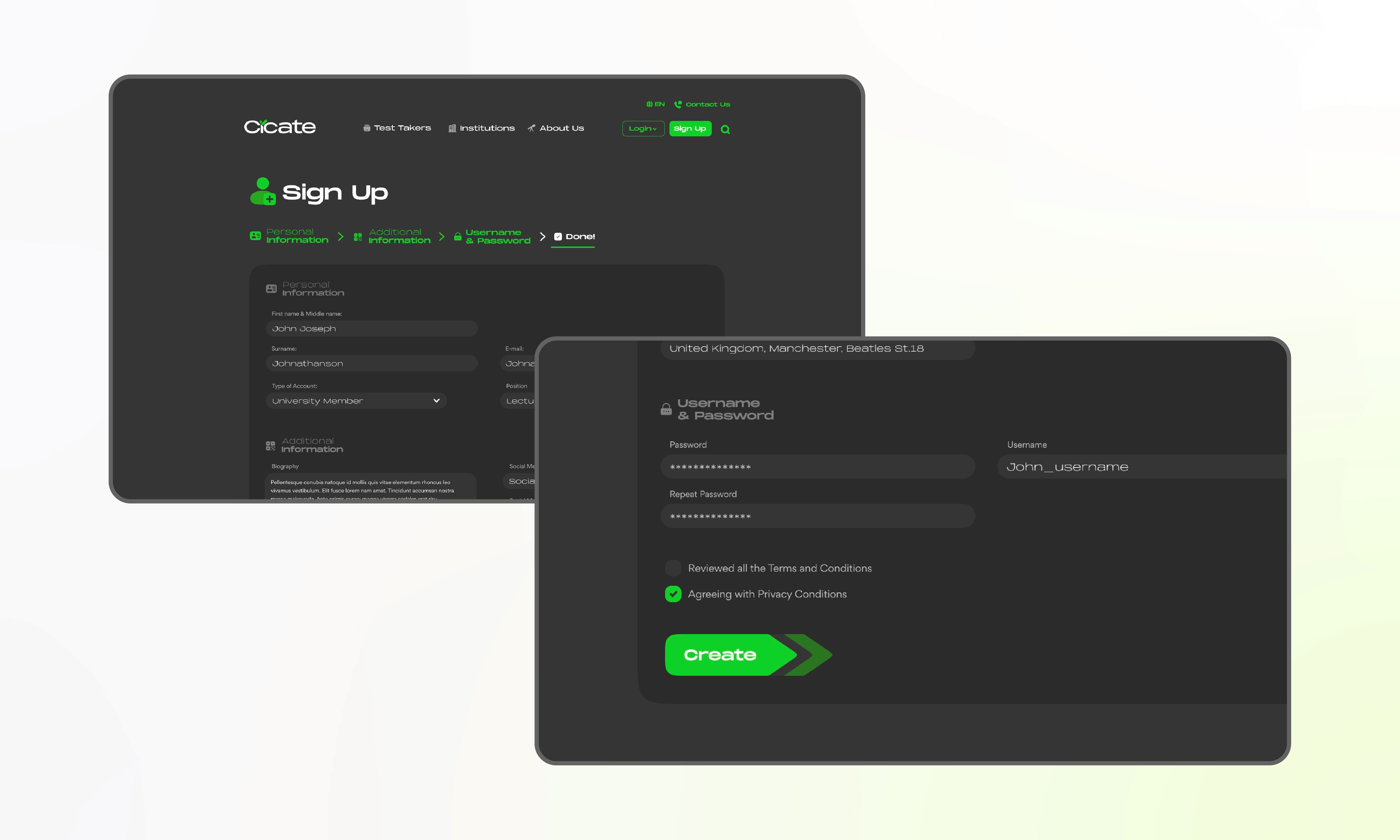
Username & Password
UI Sign Up Procedure
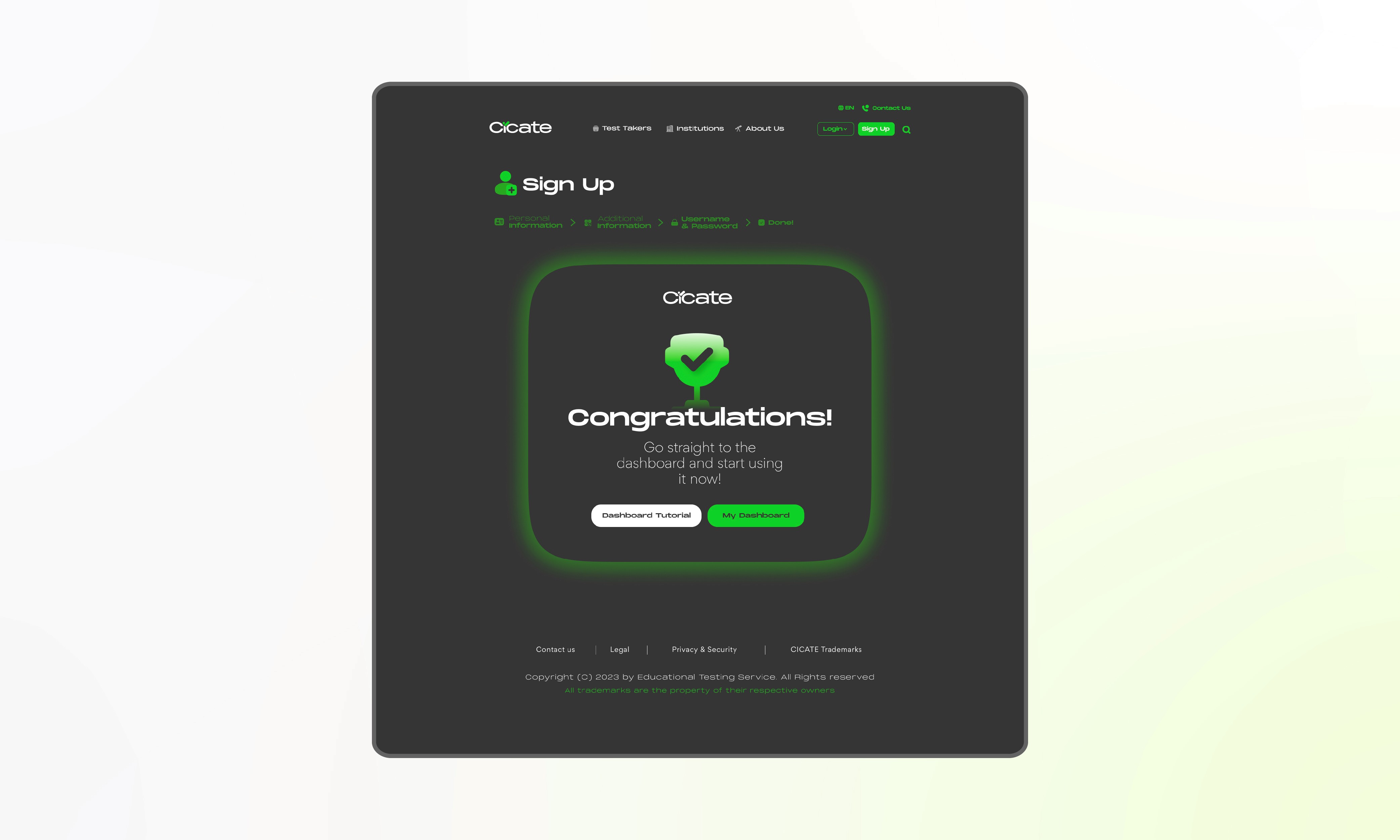
Success Section
UI Sign Up Procedure
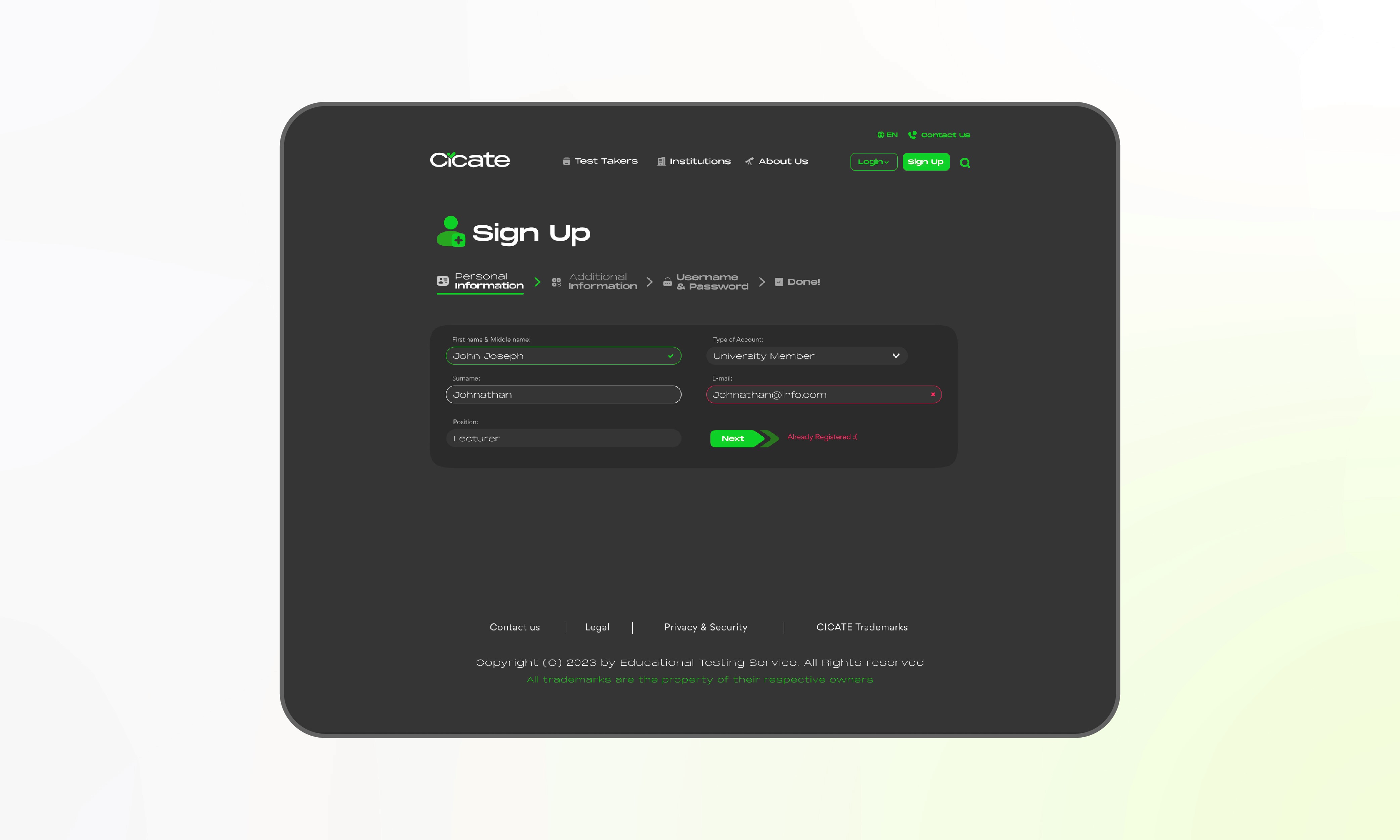
Conditional States of Inputs
UI Sign Up Procedure
Dashboard Section
After sign up user is navigated to the dashboards, where he interact with the actual services of the organization, such as registering for testing, payment for the test, using assesment tools, interacting with chat support, checking recent or upcoming tests.
Dashboard Section
After sign up user is navigated to the dashboards, where he interact with the actual services of the organization, such as registering for testing, payment for the test, using assesment tools, interacting with chat support, checking recent or upcoming tests.
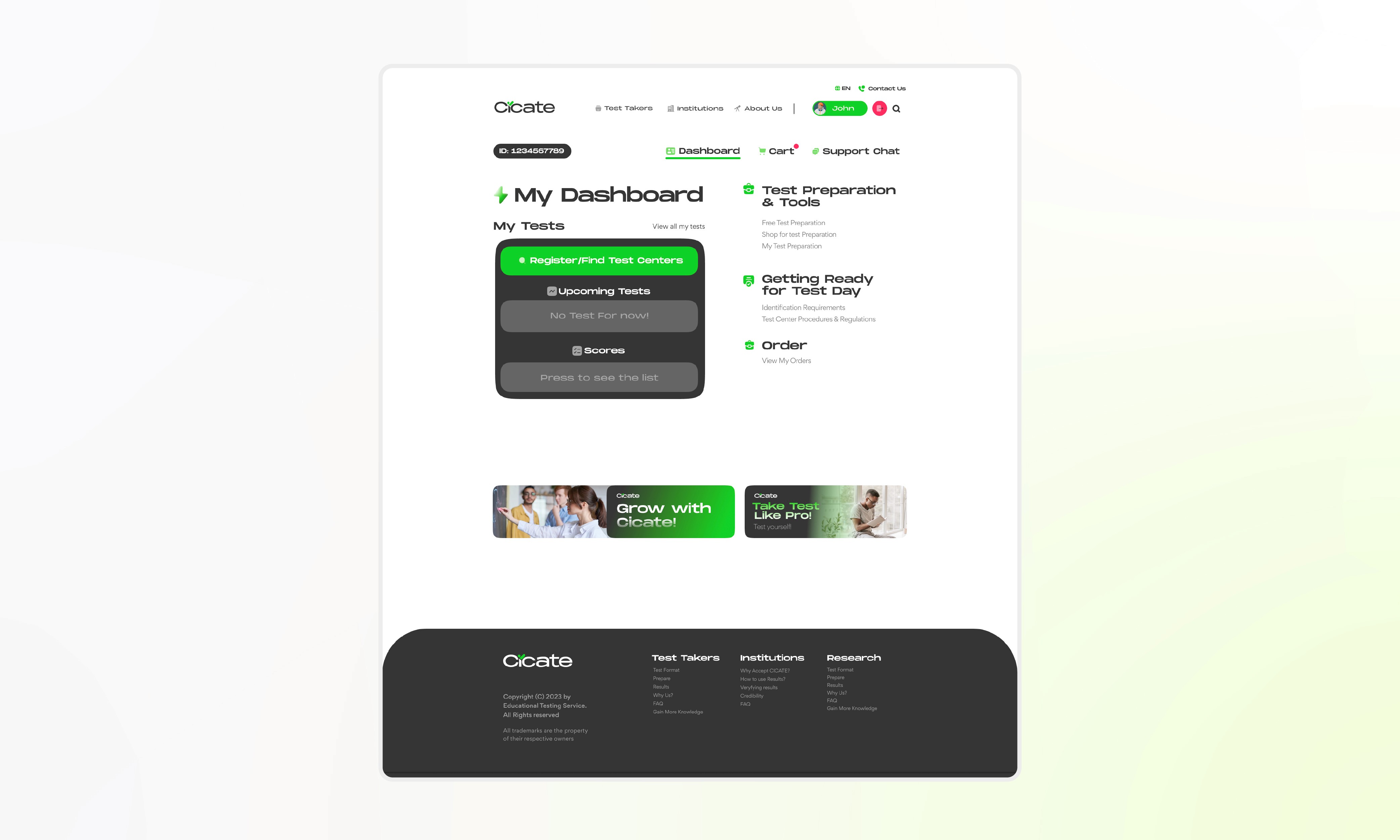
User Account Dashboard
Dashboard Design
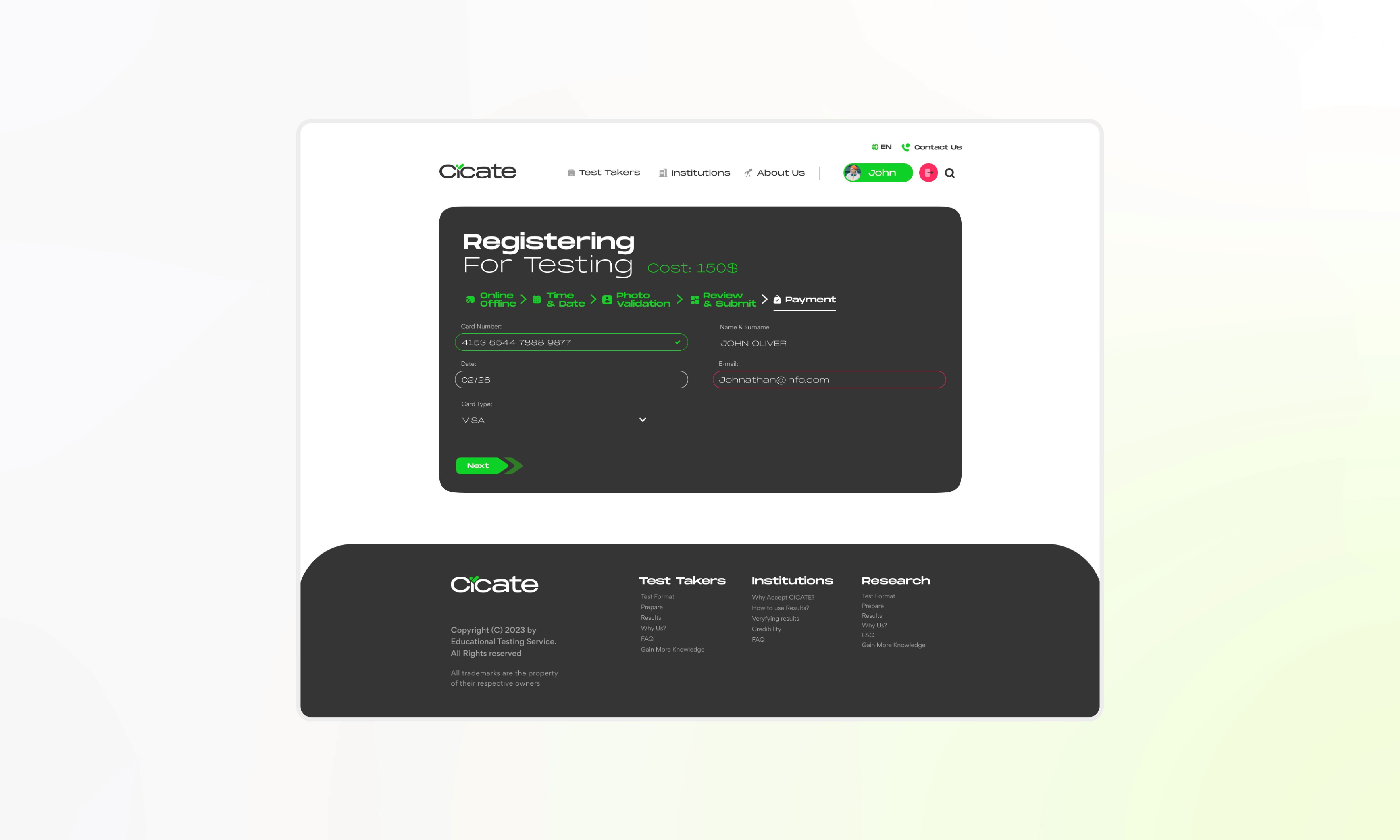
Test Registering Procedure & Conditional States
Dashboard Design
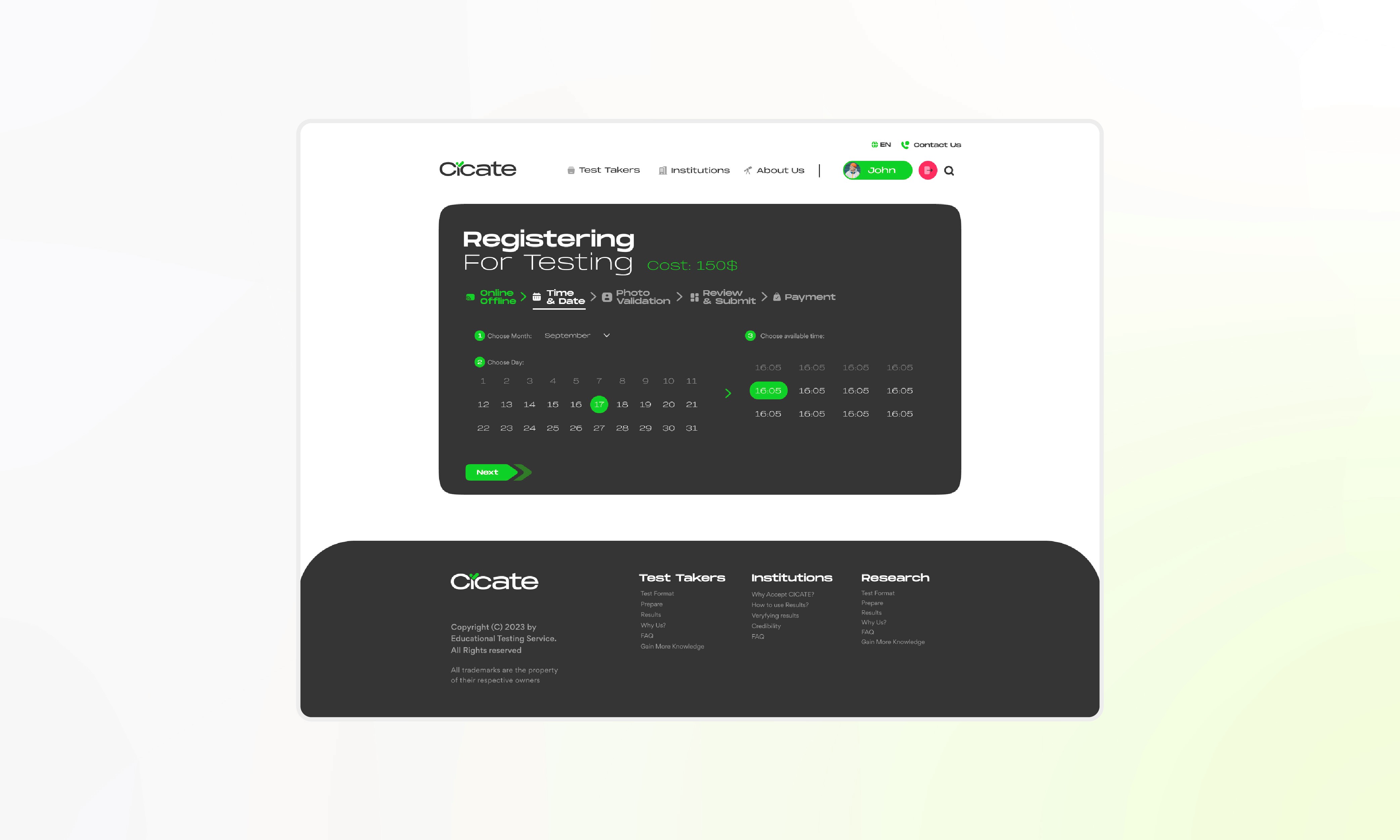
Picking Available Time & Date
Dashboard Design
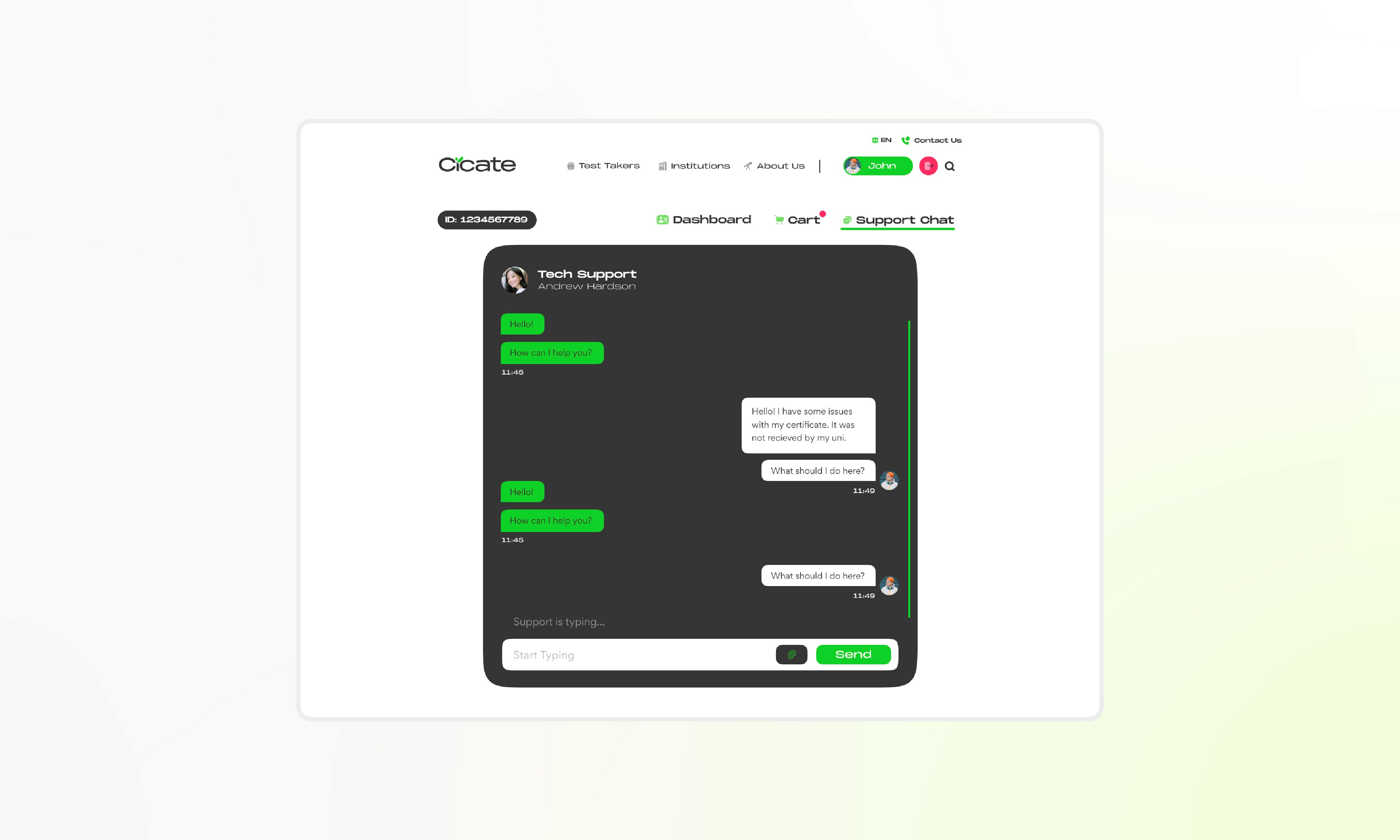
Support Chat Interface
Dashboard Design
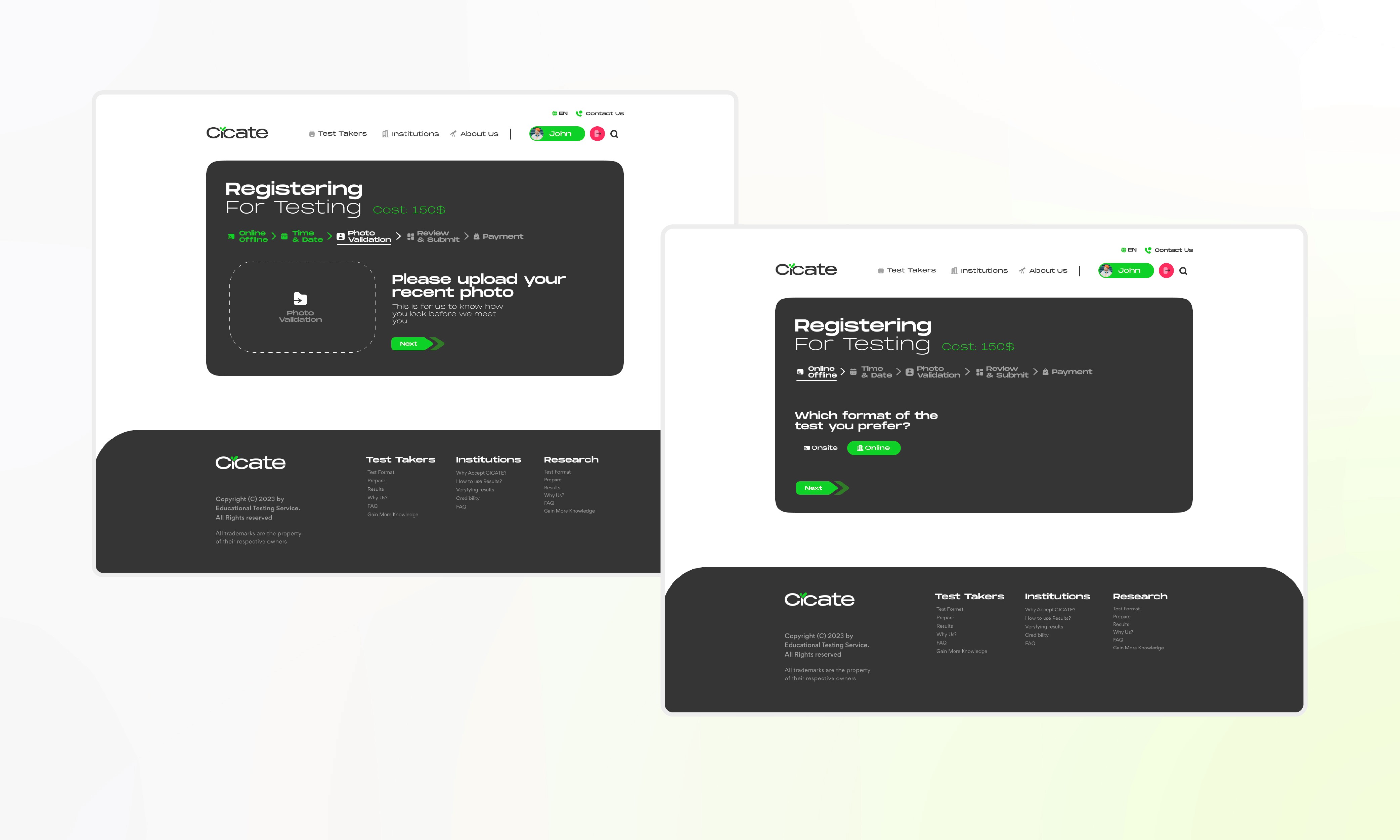
Components From Design System
Dashboard Design
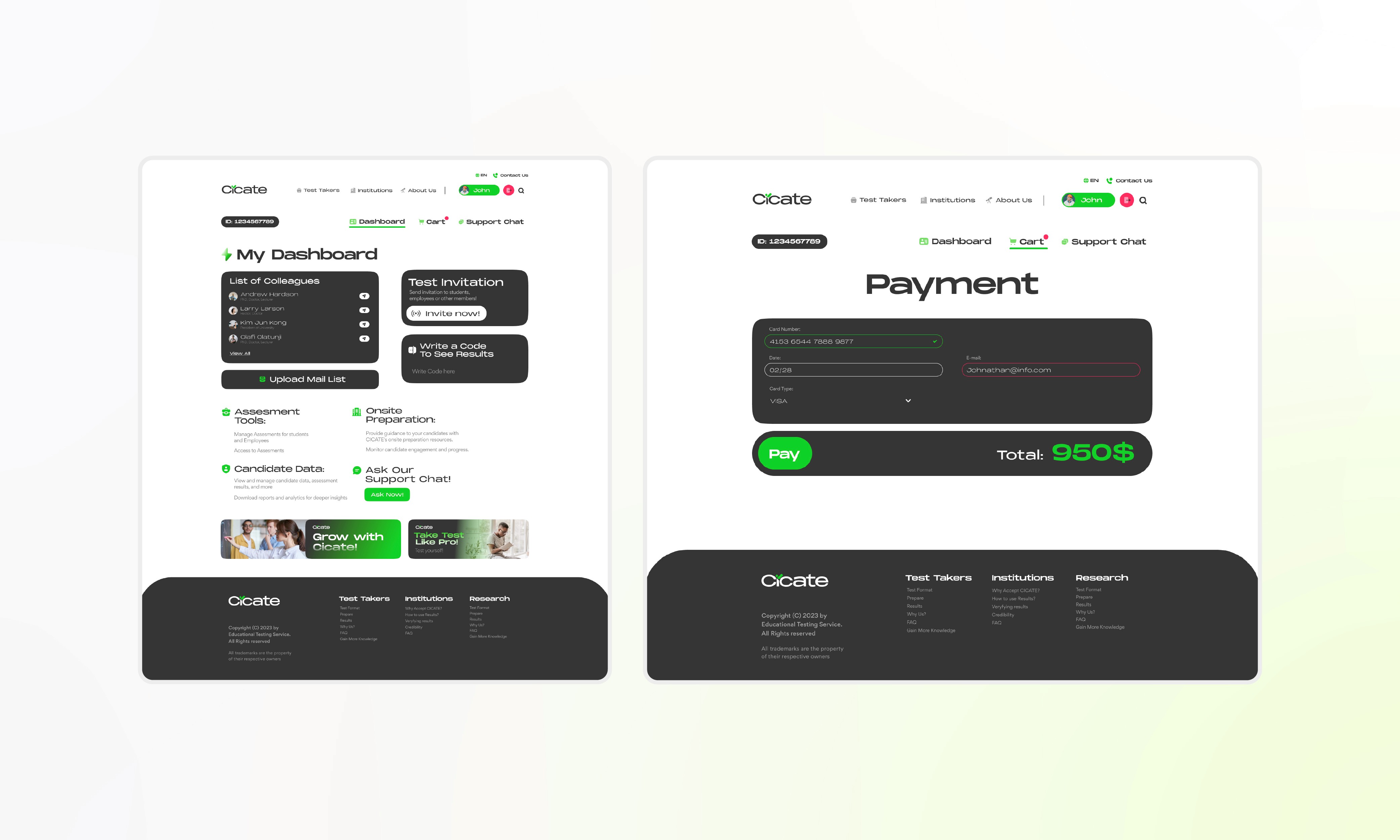
Dashboard for Organization Members & Payment Interface
Dashboard Design
UI Design System
For this project we organised our Design System into 4 parts. First, we needed a clean & readable, yet matching to our identity typeface. Second, Colours are set to mostly white with contrasting black, and green accents. Third, we decided to use bold icons to match general aesthetics. And lastly, UI elements or assets. We made sure to set one design across the whole platform visually coherent and cohesive.
UI Design System
For this project we organised our Design System into 4 parts. First, we needed a clean & readable, yet matching to our identity typeface. Second, Colours are set to mostly white with contrasting black, and green accents. Third, we decided to use bold icons to match general aesthetics. And lastly, UI elements or assets. We made sure to set one design across the whole platform visually coherent and cohesive.
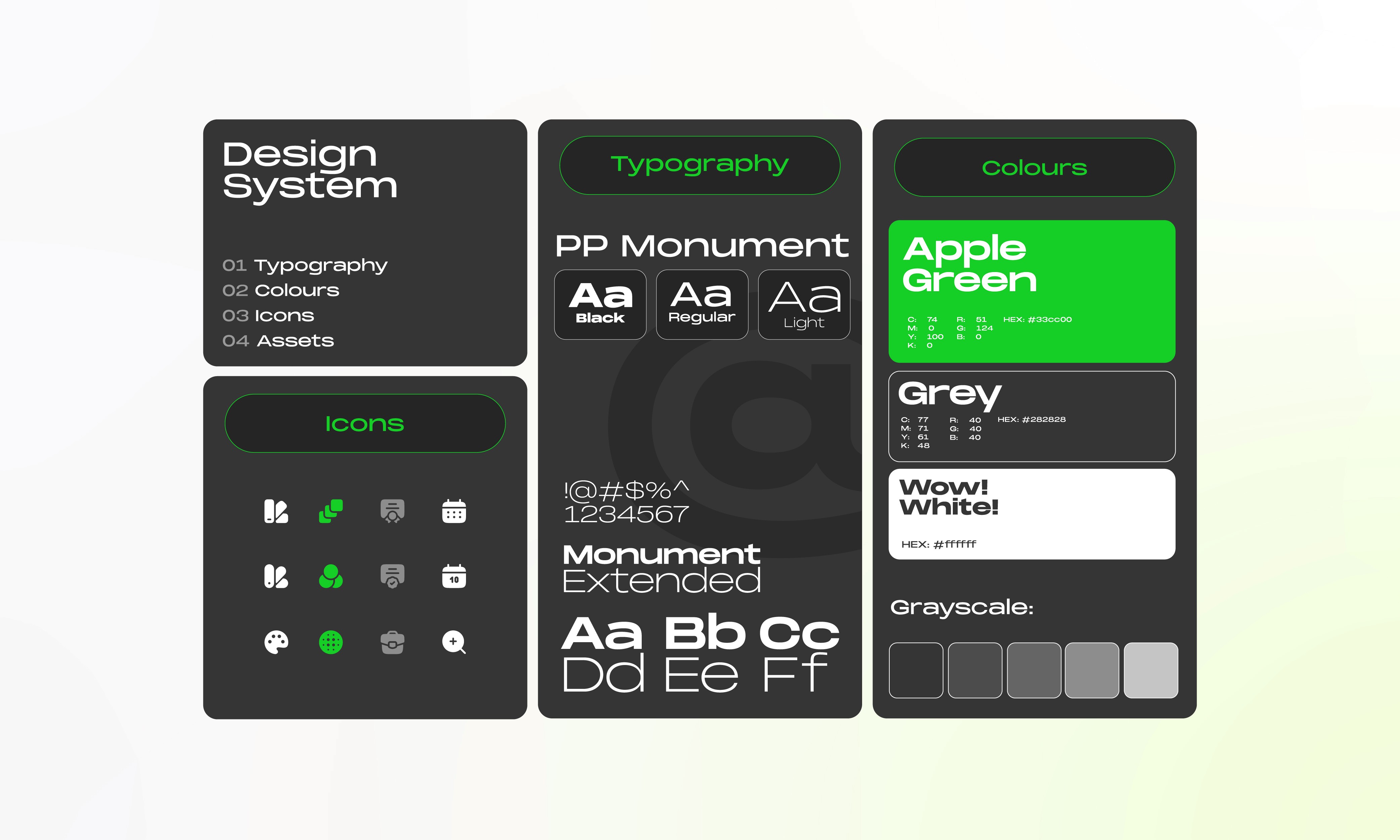
Icons, Typography, Colours.
UI Design System
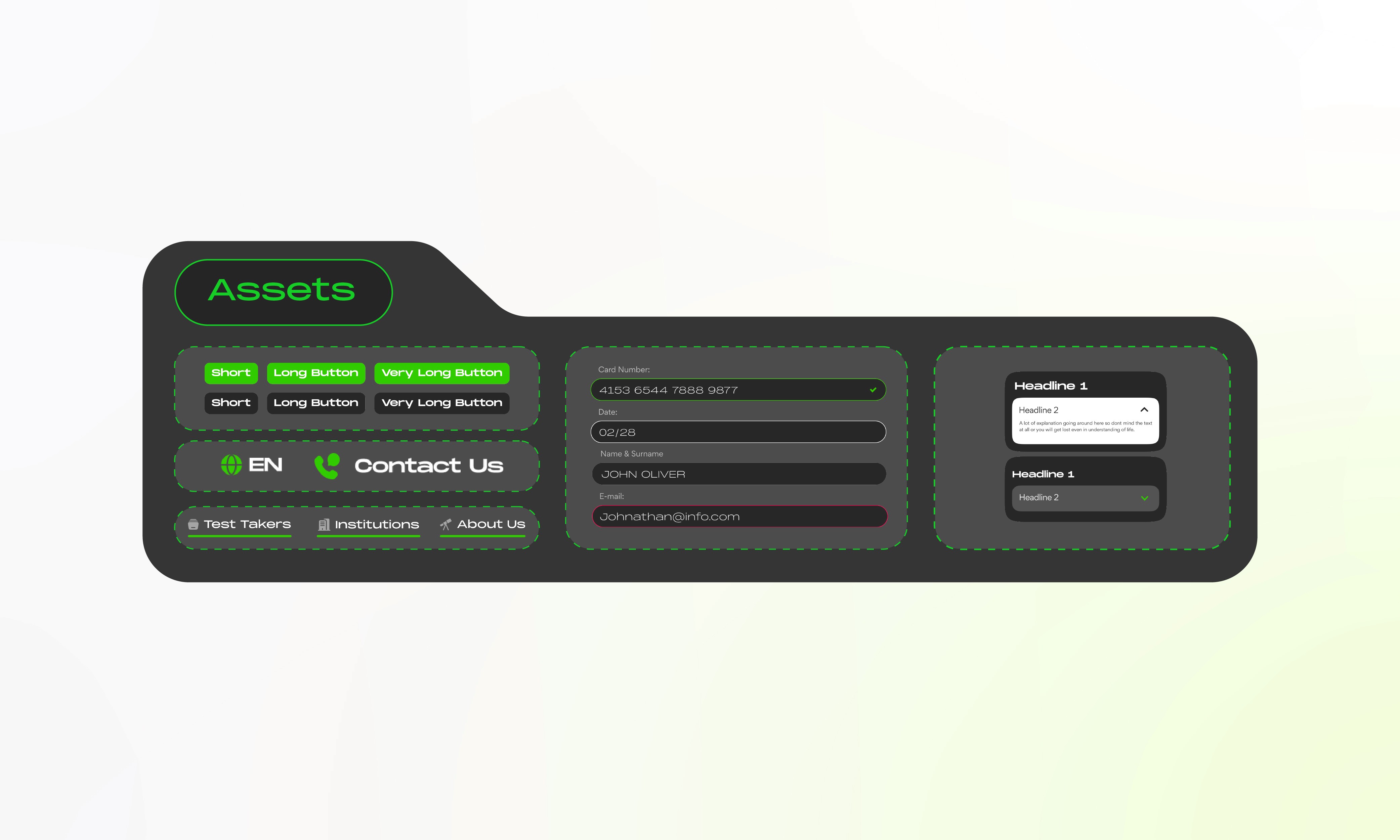
UI Design Assets: Buttons, Inputs, Accordions and etc.
UI Design System
UX Research & Data
Not forgetting, the most crucial and the beforehand part of the project - UX Research. In the UX Research, we mostly concentrated on researching Focus Groups, Structuring User Journey / Flow, User Persona & Product Architecture.
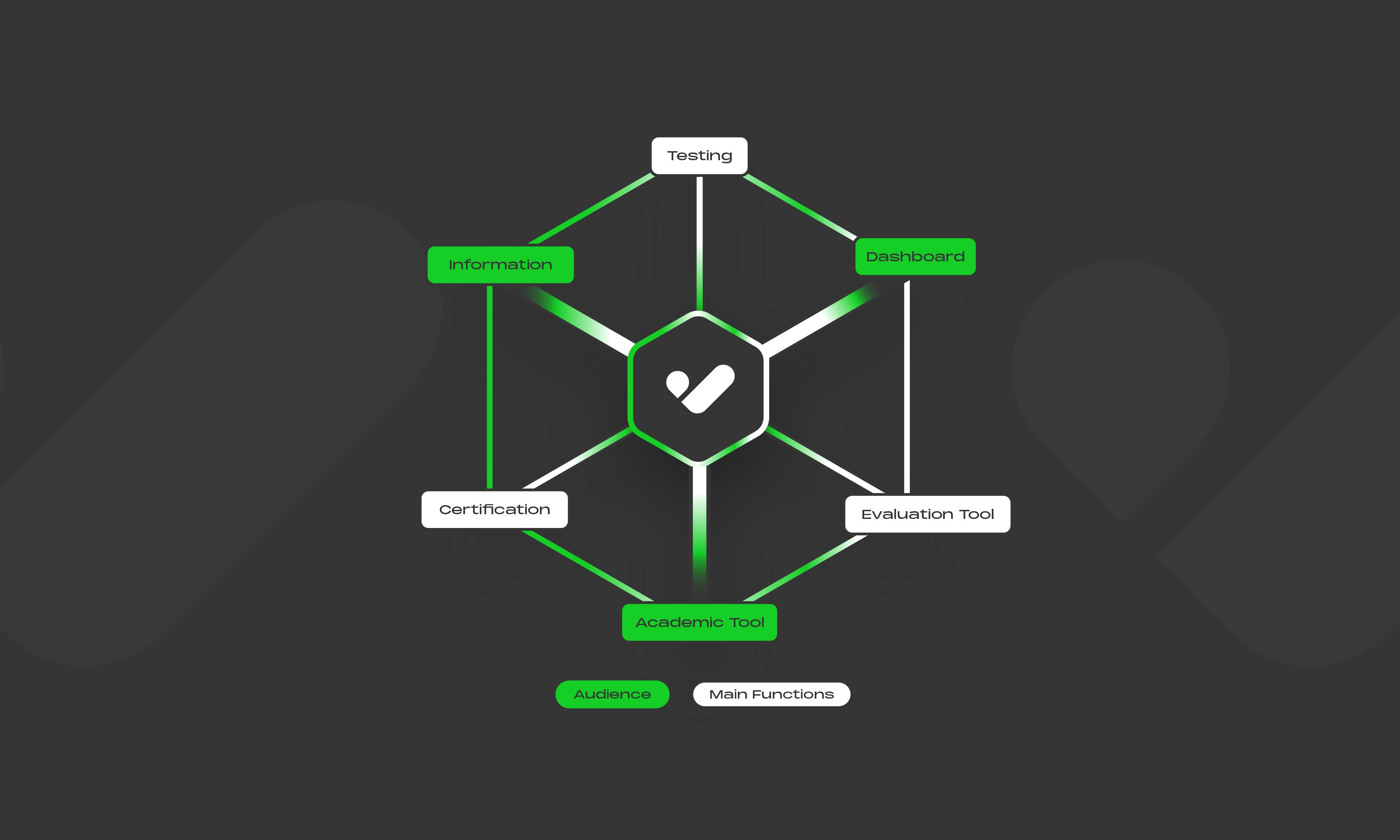
Product Interior
UX Research
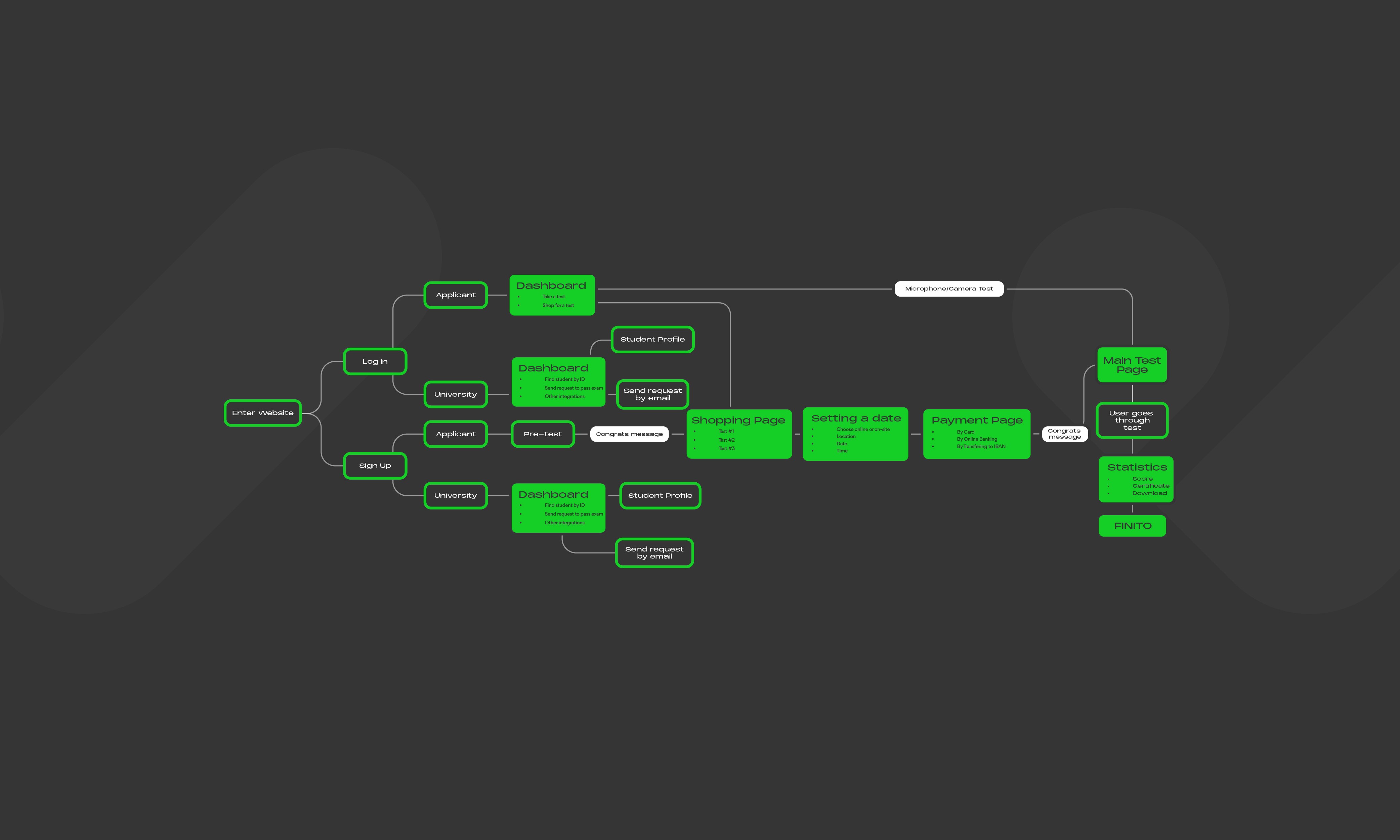
User Flow / User Journey
UX Research
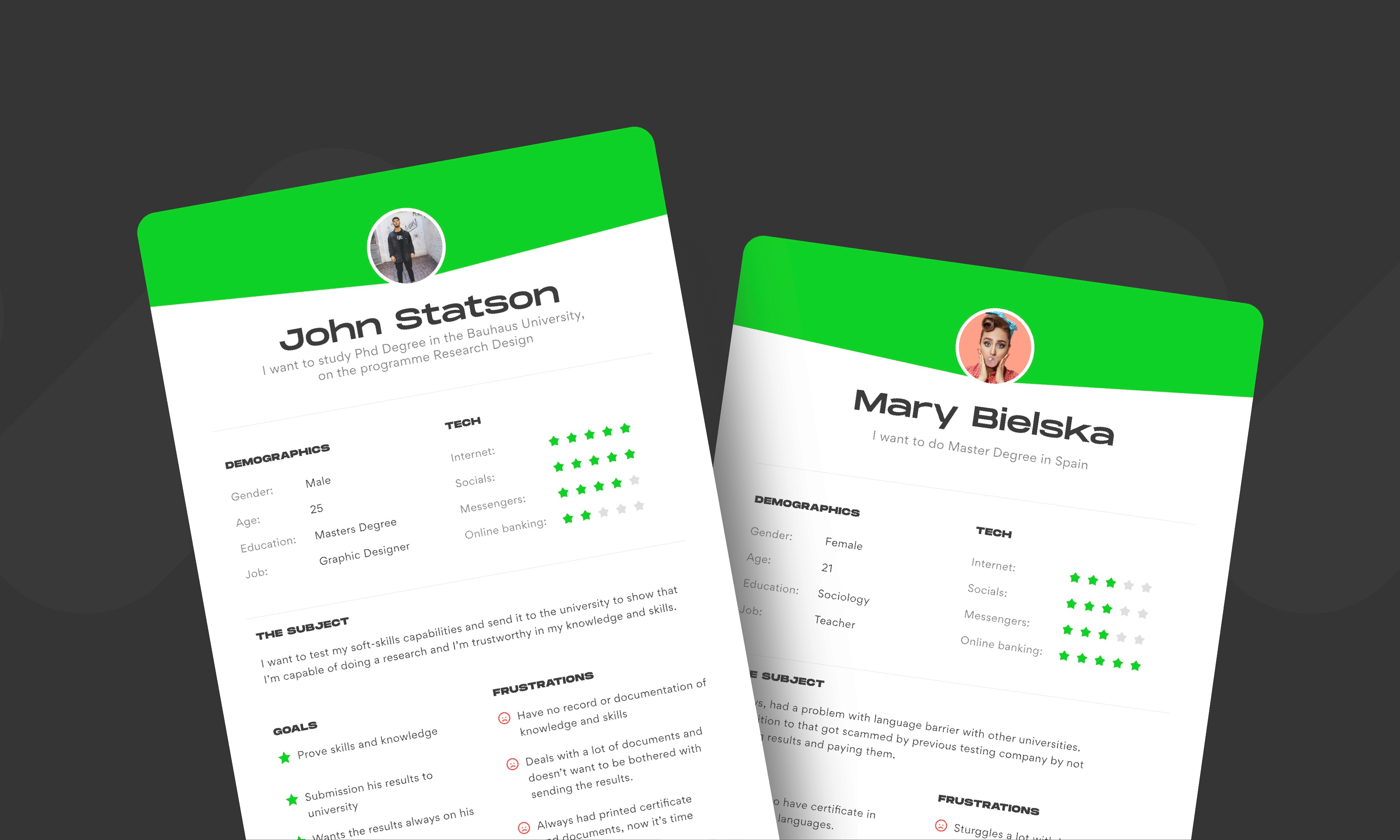
User Persona
UX Research
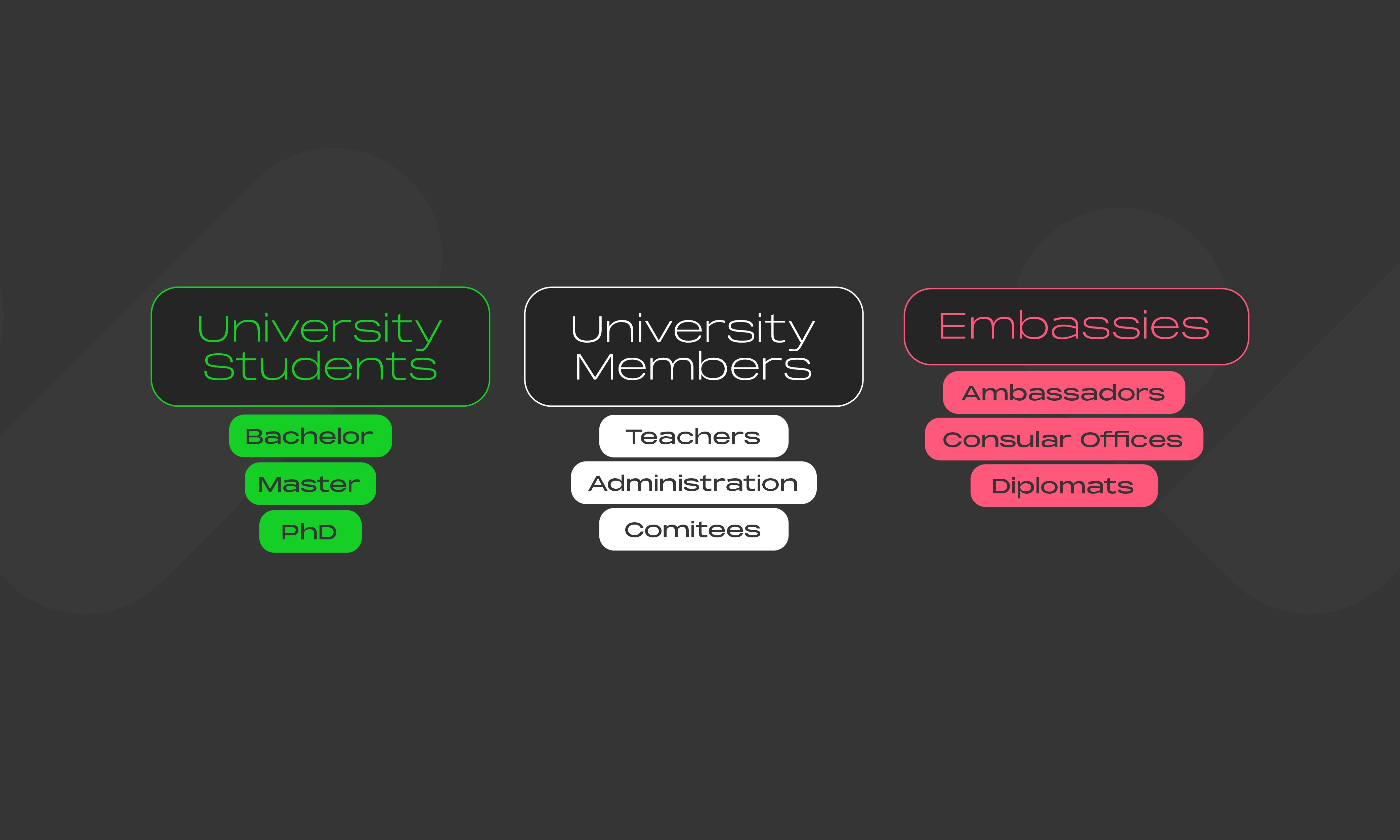
Target Groups
UX Research
VILNIUS
Open for Booking
FRANKFURT





TRUSTED BY OUR PARTNERS
ARE YOU READY…
ARE YOU READY…
To Talk About Future?

Share with us info about your brand!
Tell me about your project using the form below. If we’re a good fit, you’ll get a link to book a free consultation call. I can’t wait to hear what you’re working on.
Tell me about your project using the form below. If we’re a good fit, you’ll get a link to book a free consultation call.